Hacker Screen
A fake hacking screen that runs by itself, so you can go full screen and walk away.
Pop-Up Windows
Screen Effects
On a keyboard, tap number keys 1 to 0 for the windows and hold Shift with 1 to 5 for the effects. Alt three times shows Access Granted. Caps Lock three times shows Access Denied. N changes the scene. Esc closes the pop-ups, and Esc again leaves full screen.
Scene
Color
Add a made up target and the log, the alerts and the map will mention it. Everything stays in this page.
The link opens the hacker screen full screen on any phone or computer with your settings, and it keeps running with no typing. Add a delay so you can step away first.
This is a movie style hacker screen. It does not scan, access or send anything. Nothing you type leaves this page.


What Is Hacker Screen?
A hacker screen is a full screen fake hacking display that runs by itself. This one fills your screen with scrolling code, a trace map, a password cracker, progress bars and Access Granted alerts, and it needs no typing. It is all animation in your browser. Nothing is scanned, accessed or sent anywhere.
Updated by the Prankked team
How to Run the Hacker Screen
- Open this page. The hacker screen is already running in the box above.
- Pick a scene, a color and a speed in the settings under the screen.
- Press Full Screen. A shared link opens full screen on its own.
- Step away and let it run. Access Granted and Access Denied alerts pop up by themselves.
- Press Esc, or hold the top left corner on a phone, to leave full screen and tell them it was a joke.
How to Run a Hacker Screen on a Laptop, Phone or Monitor
There is nothing to start. The screen above is already scrolling code, tracing a route and cracking a password the moment the page loads. Press Full Screen and it takes over the whole display, with the cursor hiding after a couple of seconds.
On a laptop or desktop, click Full Screen and leave. On a phone, tap Full Screen and the page fills the display. Tap anywhere to bring up the buttons for Access Granted, Access Denied, the next scene and the pop-up windows, and they fade away again on their own.
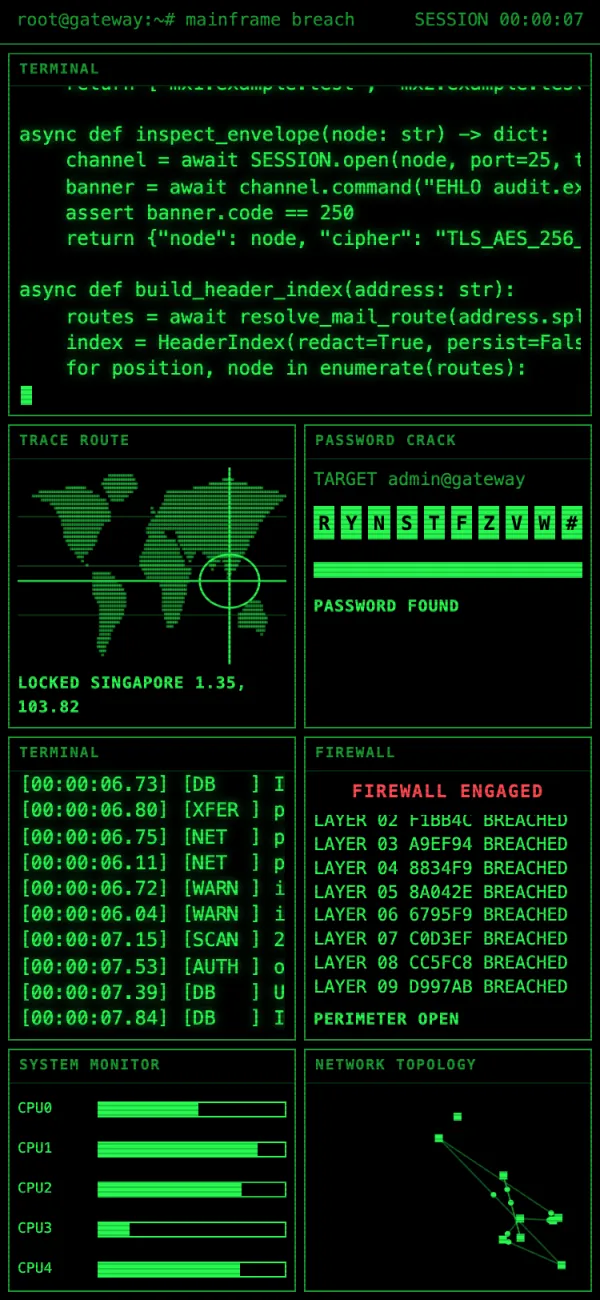
The screen rearranges itself to fit. A wide monitor shows a grid of panels side by side, and a phone held upright stacks them in a tall column so every panel stays readable.
Hacker Screen Scenes and What Each One Shows
A scene decides which panels are on the screen and what the alerts say. Pick one in the Scene tab, or leave Change Scene Every Minute on and it moves through them for you.
- Mainframe Breach. A terminal types code, a world map locks onto a target, a password falls one character at a time and a firewall gives way layer by layer.
- Terminal Wall. Several terminals run at once, one writing code, others scrolling logs and memory, with file transfers and a load monitor underneath.
- Satellite Uplink. A dish finds its satellite, a radar sweeps and the link reports signal strength and transfers.
- Data Heist. A secret archive downloads, camera feeds come online and the transfer queue fills up.
- Digital Rain. Falling characters fill the screen with a live log along the bottom.
- Power Grid. Pressure, temperature and output swing while a miner runs and a radar watches the perimeter.
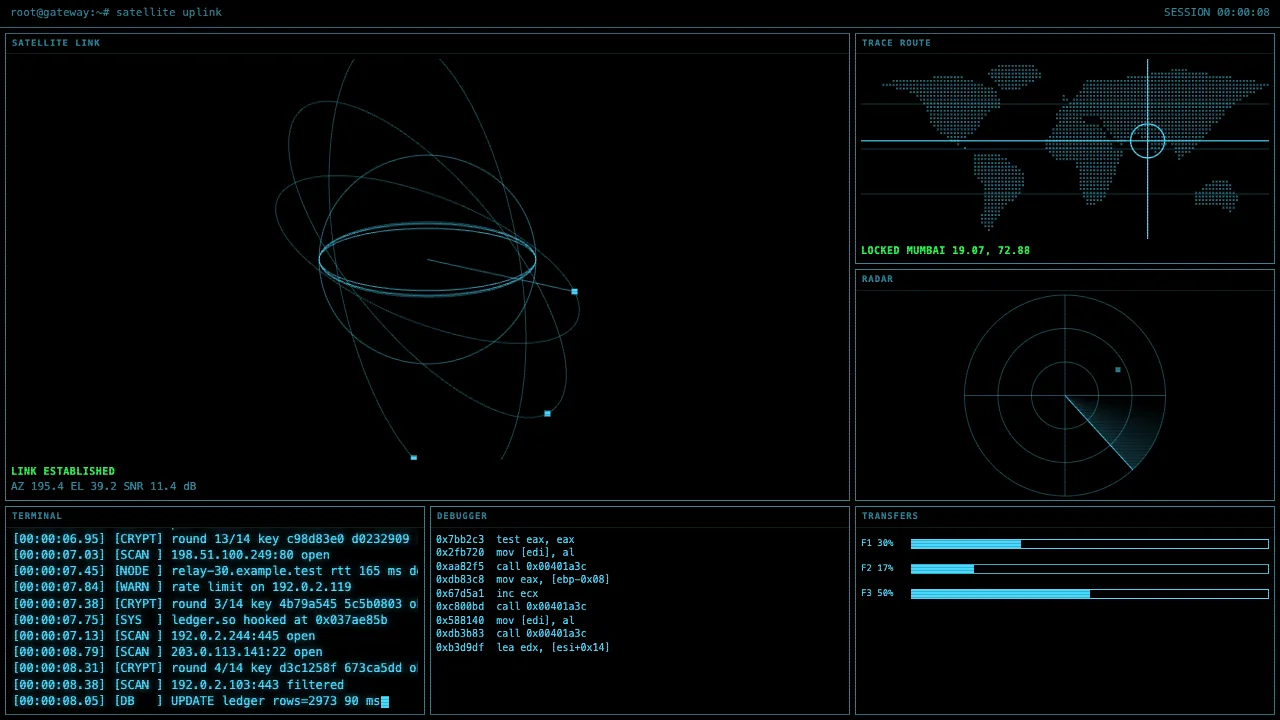
Each scene also has its own storyline of alerts, so a long run does not feel like a loop.
What Every Panel on the Hacker Screen Does
- Terminal. Real looking code in several languages, typed out character by character.
- Event log. Time stamped lines tagged scan, auth, transfer, network and crypto, using only reserved example addresses.
- Trace route. A dotted world map where a crosshair closes in on a city.
- Password crack. Boxes spin until each one locks onto a character.
- Firewall. Layers get scanned and then breached, one after another.
- System monitor, memory and debugger. Moving bars, changing hex and a stream of assembly.
- Network topology. Nodes joined by lines with packets running along them.
- Transfers and packet traffic. Files copying with progress bars and a live traffic graph.
- Alerts. Access boxes that end in Access Granted or Access Denied, and red interruptions such as a trace warning.
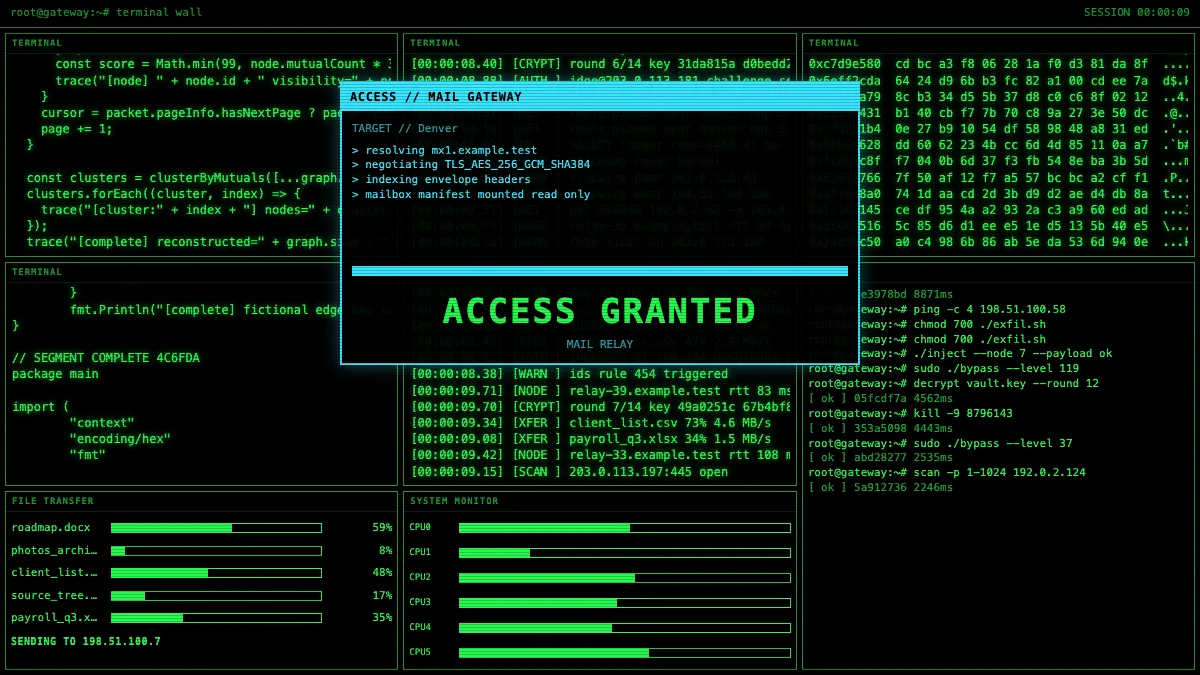
The numbered pop-up windows from the hacker typer work here too. Press a number key from 1 to 0, or tap a chip under the screen, to open one on top of the scene.
Settings That Change How the Hacker Screen Looks
Everything is under the screen in tabs and changes the running screen straight away.
- Color. Green is the movie classic. Amber looks like an old terminal, ice blue is calm and red feels like an alarm. Type any hex color for the rest.
- Speed. Slow it down for a tense, quiet look or turn it up so everything is moving at once.
- Text size. Smaller text fits more code on a big monitor, larger text reads from across a room.
- Alert timing. Choose how often alerts land, how many are granted or denied, and how long each box stays up.
- Sounds. Soft beeps for alerts. They stay silent until someone taps or presses a key, because browsers require that first.
- Hide Controls and Title Bar. Leaves only the panels, which is clean for a video or a display.
- Target. Add a made up name, handle, city and device and the log, the map and the alerts start mentioning them.
Hacker Screen or Hacker Typer: Which One Do You Want?
The hacker typer reacts to you. Every key press types a few more characters of code, so you are the one pretending to hack. The hacker screen needs no hands at all. It plays a whole multi-panel scene by itself, which makes it the one to leave running on a screen you are not sitting at.
Use the typer when you want to be seen typing, like a skit or a prank with you in the room. Use the hacker screen for an empty desk, a second monitor, a TV or a link you send to someone else.
How to Use the Hacker Screen as a Hacker Screensaver
You do not need to download a screensaver. Open this page on a spare monitor, a TV with a browser or an old laptop, pick Digital Rain or Mainframe Breach and press Full Screen. The page asks the display to stay awake while it runs, and the cursor hides itself.
- Turn on Hide Controls and Title Bar for a clean picture.
- Set the speed lower so it is easy to look at for hours.
- If the computer still goes to sleep, raise the display sleep time in the power or battery settings while it runs.
- Plug the laptop in. Animated screens use more power than a still picture.
Browsers will not let a web page start full screen without a tap or a click, so after a restart you press Full Screen once. A saved link makes that one tap quick.
Hacker Prank Ideas That Work
- The empty desk. Open a link on a coworker's monitor while they are at lunch. Come back with a straight face and a reveal line ready.
- The family TV. Put a scene on the living room screen before a movie night and let everyone wonder who did it.
- The party backdrop. Run Digital Rain on a TV behind the snacks.
- The skit. Film someone looking worried in front of a laptop running Mainframe Breach with the controls hidden.
- The classroom. Show how movies draw hacking, then explain how real security work looks, mostly reading logs and applying updates.
Keep it short. Say it was a joke within a minute or two, and never leave it on a work computer that is not yours if the workplace has rules about it.
How to Send a Fake Hacking Screen Link
Open the Share tab, pick a start delay if you want to leave first, and press Copy Share Link. Whoever opens the link sees the same scene, color, speed and target name already running full screen. There is no setup and no app. On a phone the first tap after it opens makes it truly full screen.
The link holds your settings inside the web address and nothing is stored on a server. If you want it on more than one monitor, use Open on Another Screen and it opens a copy on each display it can find.
Hacker Screen on iPhone, iPad and Android
It works in Safari and Chrome. On Android, Full Screen hides the browser bars. iPhone and iPad Safari only allow true full screen for video, so the page fills the display instead, which still looks right. Add the page to your Home Screen from the Share menu and the address bar goes away completely.
Turn silent mode off if you want the alert sounds, and set Auto-Lock to Never on iPhone while it runs.
Is the Hacker Screen Real Hacking?
No. It does not scan, connect to or read anything. The code, the addresses and the names are made up, and the addresses come from ranges set aside for examples. Nothing you type into the Target tab leaves the page.
Do not use it to pretend to be a bank, the police, a company or a real incident, and do not use it to frighten someone who might take it seriously. A real hacked device does not look like this, and a real warning would never be a full screen of green text.
Troubleshooting the Hacker Screen
- Full screen did not start. Some browsers block it unless you tap the button yourself. The page then fills the window, and a tap upgrades it.
- No sound. Tap the screen once, check Alert Sounds in the Speed and Alerts tab and make sure the device is not muted.
- The screen sleeps. Change the display sleep time in your power settings.
- Alerts are too busy or too quiet. Change Alert Every in the Speed and Alerts tab, or set it to Never and use the Access Granted button when you want one.
- Everything restarted. Rotating a phone or resizing the window redraws the panels to fit.
Hacker Screen Questions
What is a hacker screen?
A hacker screen is a full screen fake hacking display made of scrolling code, maps, progress bars and alerts. It is made for pranks, videos and decoration, and it does not hack anything.
How do I make a fake hacking screen that runs by itself?
Open this page and press Full Screen. The screen types, traces and cracks on its own, and it shows Access Granted alerts without any keys.
Is a hacker screen the same as a hacker typer?
No. A hacker typer types code when you press keys. The hacker screen runs a whole scene by itself, so you can leave it on a screen and walk away.
Can I use the hacker screen as a screensaver?
Yes. Open the page on a spare screen, press Full Screen and hide the controls. It asks the display to stay awake, and you can raise the sleep time in your power settings if needed.
Can I send a hacker prank to a friend?
Yes. Copy the share link from the Share tab. It opens straight into the running screen with your color, scene and delay.
Does the hacker screen work on a phone?
Yes. It works in Chrome on Android and Safari on iPhone and iPad. The panels stack in a column to fit an upright phone.
Is the fake hacking real or safe?
It is only animation. It does not scan, connect to or read anything, and every address and name in it is made up.
How do I stop the hacker screen?
Press Esc, or tap the screen and press Exit. On a phone, holding the top left corner for a second also leaves full screen.
More Pranks
34% complete